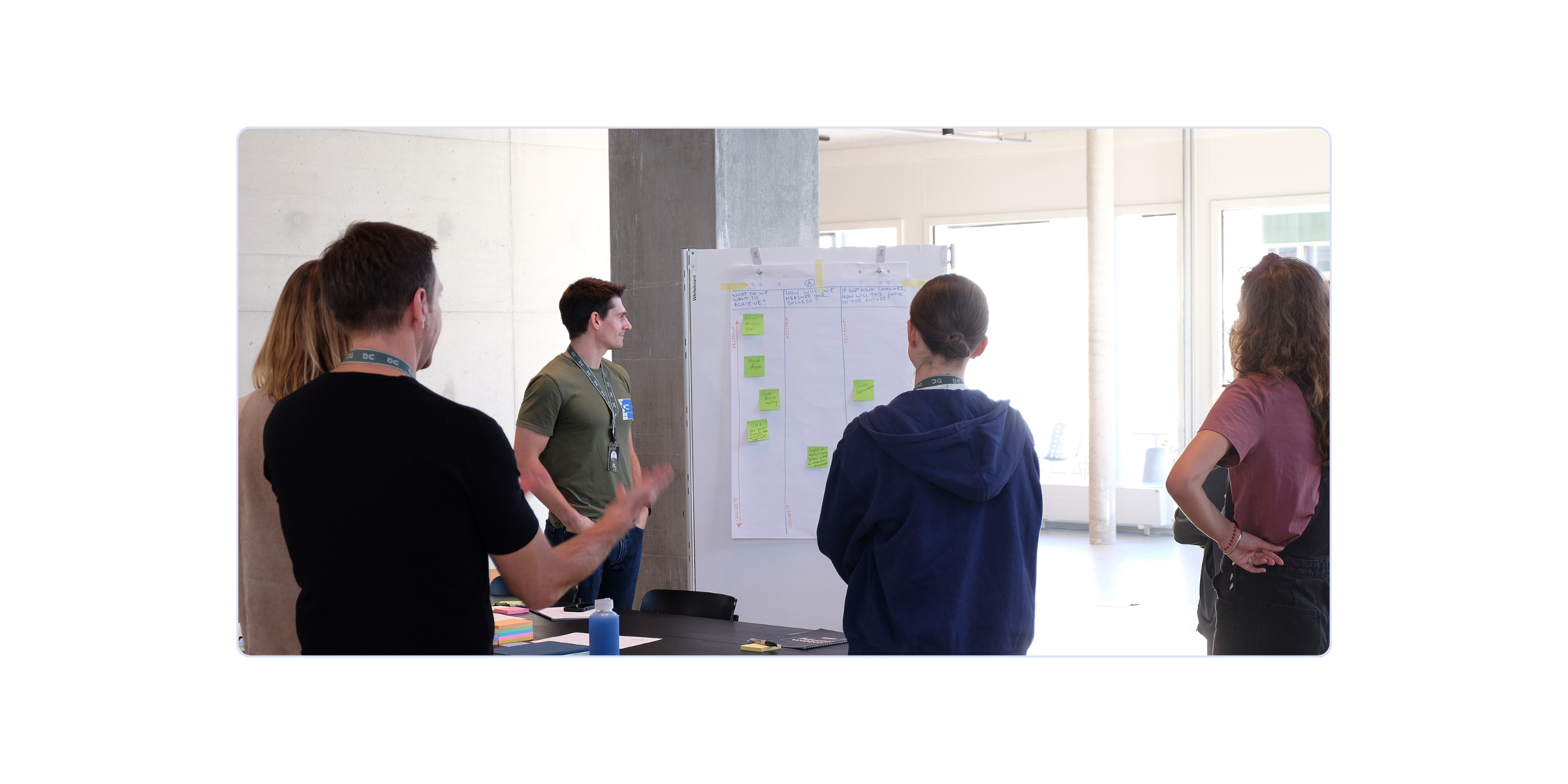
How FDEs run problem discovery with enterprise customers

A customer opens your first meeting with a clear request: “We need an AI agent for procurement.” There's a sponsor, a budget, and pressure to get started. As the Forward Deployed Engineer, you can probably see three ways to build it before the meeting ends.
Hold that thought.
Nobody has said yet what procurement should do better. Until someone does, the build has no purpose, and the team has no way to tell whether it helped.
This article walks you from that first meeting to a tested prototype and a clear decision about what to build. Along the way, you'll see why the FDE role exists in the first place, who needs to be in the room, and what each step produces.
Why do software companies embed FDEs inside customer organizations?
A product can work well in a demo and struggle inside a customer's business. Data sits in different systems. Access is limited. Teams have their own rules, and the written process may miss how people actually get things done.
Some of this only becomes clear when someone tries to use the product. An engineer working alongside the customer can spot the problem, understand why it matters, and test a fix with the people affected. That shortens the distance between finding a need and building something useful.
Palantir built the model for exactly this situation. Its early customers were intelligence and defense agencies. Their problems were urgent, their data sat in disconnected and often classified systems, and much of the work happened on networks outsiders couldn't reach. Analysts couldn't write down everything they needed in advance, and the documented process rarely matched how an investigation actually ran. Traditional requirements gathering kept producing software that missed.
So Palantir sent engineers to work alongside the analysts: to watch the work, build against the real data, and fix what broke on the spot. It calls these engineers Forward Deployed Software Engineers, or “Deltas”, and measures their success by the customer's outcome. What Deltas learn in one deployment can flow back into the core product, so the next customer starts further ahead.
The approach has since spread across enterprise AI, because models are easy to access and hard to make reliably useful inside a specific business. In May 2026, OpenAI announced its Deployment Company with more than $4 billion in initial investment and an agreement to acquire Tomoro, adding about 150 FDEs and Deployment Specialists. Anthropic, AWS, Salesforce, and Databricks also hire for the role.
The investment serves six purposes:
Look at the second reason again. It's the problem Palantir set out to solve, and the other five rest on it. Production engineering, faster adoption, and reusable product features all depend on one thing.
Every part of the FDE's job assumes the team is solving the right problem.
Discovery is how you find it. And because the customer's team takes part, they understand the solution well enough to keep it running after you leave.
What is problem discovery for a Forward Deployed Engineer?
Problem discovery helps an FDE and a customer find the business problem behind a request, agree on the result they want, and prove that a proposed solution solves it before anyone commits to a full build.
It starts with three questions: what needs to improve, how does the work happen today, and who can approve changes?
From there, it has two halves. The first establishes the problem: what needs to change and why. The second tests the solution: a working prototype, built on realistic data and tried by the employees who would use it. Together they give you problem-solution fit.
Discovery ends with evidence that the solution works for the people doing the job.
Why should an FDE challenge the customer's request?
A request describes what someone believes will solve their problem. But people can only ask for solutions they can picture.
The familiar “faster horses” analogy captures this well: people ask for improvements to what they already know exists.
The same happens with AI. If you don't know what AI can do, it's hard to imagine a different way of working. So customers ask for what's familiar: a faster version of today's process, a chatbot on top of the old system, an agent that copies each step their team already takes.
That says nothing about the customer's judgment. They know the work far better than you do. What they may not know is what AI makes possible, and that's the knowledge you bring as the FDE.
The request shows you what the customer can imagine today.
To use your knowledge well, start from the problem they're trying to solve. Then you can explore options together that neither of you would have reached alone.
There's a second reason, and in enterprise work it matters even more. The person making the request sees one part of the workflow. They know where work piles up on their desk. They may not see that the bigger delay sits two steps later, with another team. Speed up the step they can see, and the work simply waits longer at the next one. Jakob Nielsen illustrates this with a hypothetical loan process in his essay on forward deployed design: risk assessment becomes 40% faster, files queue at legal review, and the customer's wait barely changes.
No single person sees the whole workflow, so no single request can define the solution. That's why discovery brings several people into the conversation.
You might be thinking: “They hired me to build. Won't all these questions look like stalling?”
Fair worry. Make your role clear from the start: part of your job is to help the customer decide what's worth building. A few good questions at kickoff protect weeks of engineering.
You could say: “Before we scope the agent, can we walk through a recent purchase request? I'd like to understand where it gets stuck and what a better result would look like. Then we can explore how AI could help.”
Now you're choosing the solution together.
How is problem discovery different from requirements gathering?
Problem discovery helps the customer choose the problem to solve and the result to aim for. Requirements gathering defines what a solution must do, including the needs, rules, and technical limits it must meet.
The difficulty comes when requirements are gathered from different people separately. Each person brings their own needs and priorities. Those needs may be reasonable on their own and still conflict when put together. A list of requirements leaves the team with a harder question: whose priority takes precedence, and what tradeoffs is the business willing to make?
Without a way to resolve that, the FDE can end up carrying messages between departments or making assumptions about choices the customer should own.
Facilitated discovery brings the people who do the work and those who can approve changes together to work through these differences. The FDE guides the conversation with questions, activities, and evidence. The group examines the competing needs, agrees on what matters most, and makes the tradeoffs clear. The customer owns the business decisions.
Requirements gathering can include these discussions too. The trouble starts when collecting requests replaces resolving them.
Everyone may not agree with the final choice. They should understand what was decided, why, and who owns it. Getting there takes two things: a structured sequence of workshops, building, and testing, and the right people at each step.
Who takes part in facilitated problem discovery?
Facilitated discovery runs as a sequence of workshops followed by a build and employee testing, and each step depends on having the right people involved. The team that does this work is an AI Discovery Pod: a temporary, cross-functional group assembled around one specific AI use case. It brings together the people who each hold part of the problem, works through the key decisions with the accountable decision-maker involved, produces the evidence needed to decide, and then disbands.
In an FDE engagement, the pod draws from both sides: the customer's project owner, employees, and specialists, plus the technical people on the FDE's delivery team. The FDE facilitates. That means designing how the group moves through each workshop, balancing the voices in the room, and keeping the decision owner involved. The customer's people own the business decisions.
The pod's job is discovery and validation. Production engineering comes after the decision, and in an FDE engagement it usually stays with the FDE team, often alongside the customer's engineers.
The composition follows the workshop’s objectives. One needs strong data and legal representation from the start. Another depends more on operations and the employee experience.
Who belongs in the pod?
How do you assemble and disband the pod around each workshop?
Start from what each workshop needs to produce, and invite the people that output depends on. When the output is done, they step out, and the next workshop brings in the next group.
It helps to think of the pod as a core and a rotation:
- The core stays from start to finish: the project owner, the employee, and the FDE's delivery team. They carry the context from one workshop to the next and keep the scoping document current.
- The rotation joins for the workshops whose goals need them: colleagues who share handoffs for the workflow map, decision-makers to set the goal, legal and IT to name the risks, then the build team and the interviewer.
Before each workshop, ask four questions:
- What must this workshop produce?
- Whose knowledge or authority does that output depend on?
- Whose objection would we rather hear now than after the build?
- Who can step out once this output is done?
This makes the ask easier for busy people. A compliance lead may not give up four days, but they can usually give up a two-hour risk session with a clear purpose. Brief everyone who rotates in with the scoping document beforehand, so the session starts from shared context.
The FDE can identify who needs to be in the room. Getting them there usually takes the project owner asking their peers directly to release the right person.
The pod forms around a goal and changes shape as the goal changes.
When the team makes the scale, iterate, or stop decision, the pod disbands and its members return to their usual roles. The FDE team carries the work forward, with the scoping document as its brief. More on that at the end of the steps.
What are the steps of FDE problem discovery?
FDE problem discovery can run as the AI Workflow Sprint, broken into seven shorter workshops for customer engagements, followed by a build day, a test day, and a decision meeting. Each step produces something the next one needs.
Design Sprint Academy developed the AI Workflow Sprint to help cross-functional teams redesign a workflow around AI and test it with employees before committing to a build. It builds on the Design Sprint and Problem Framing methods we've used with teams for years. We then adapted the sprint into this seven-workshop format through strategic workshops with enterprise clients and our AI Workflow Sprint trainings. Today, Design Sprint Academy trains Forward Deployed Engineers to run problem discovery with enterprise customers.
The shorter format exists for a practical reason. Separate sessions fit more easily around a customer's calendar than four consecutive days, and each one involves only the people it needs.
Before Workshop 1, agree on which workflow to investigate, why it matters, and who owns the project. If the customer is still choosing among several opportunities, AI Problem Framing helps them pick one. Keep that business aim visible throughout. Teams can fall for an idea before they've checked whether it serves the goal. The formal goal and success measures come later, in Workshop 4, once decision-makers have seen the proposed workflow.
Workshops 1–3 explain the problem and shape a better workflow. Workshops 4–7 define how the solution should work. The build and test days check whether it does. That's problem-solution fit.
Workshop 1: Understand the employee's role (Employee Persona)
What it is: A one-hour session where you build a shared picture of the person whose work you're about to change: their responsibilities, challenges, measures of success, and mindset.
Why you run it: You're the technology expert. The employee is the expert in the job. Every later decision about what AI takes on and what stays human depends on an accurate picture of the role, and a job title or the sponsor's description won't give you that.
What you do: Send a short survey to people in the role at least three business days ahead, and turn the answers into a draft persona. In the session, treat the draft as a hypothesis: walk through it with the employee and capture their corrections live. Invite the project owner, and leave the employee's direct manager out so the employee can describe the job as it really is.
What you leave with: One persona the employee has corrected and the project owner has seen. Share it with the client's decision-makers.
Workshop 2: Map how the work happens today (Current Workflow Mapping)
What it is: A 2–3 hour session where you map the workflow as it runs today: every step, handoff, system, and point where it breaks down.
Why you run it: You can't redesign a workflow you can't see. The persona told you who does the work. This map shows what the work actually is, including the parts no process document mentions.
What you do: Draft the main stages beforehand as a starting point. In the session, build the map with the employee and one or two people who hand work to them or receive it, one layer at a time: stages, employee actions, handoffs to other roles, systems and data, problems, and the cost of the biggest problems. Have the group vote silently on the main pain points, then put a cost on them in time, money, capacity, or quality.
What you leave with: One agreed map of the current workflow, with its top pain points and what they cost. Ask other employees in the role to review it afterward.
Workshop 3: Redesign the workflow around AI (AI Workflow Redesign Canvas)
What it is: A 3–4 hour session where you and the customer redesign the workflow with a realistic view of what AI can do.
Why you run it: The customer's people know the workflow. You know what AI can do. Neither side has the whole picture alone. And if you hand a broken process to AI, it runs the same broken logic, only faster.
What you do: Work through four layers in order. Start with what each stage needs to achieve, rather than what the employee does today. Then look for where AI could assist, automate, or support a person's judgment, and what should stay human. Your technical expert estimates how reliably each idea could work; record these as assumptions to test. Next, redesign the steps: what gets removed, merged, added, or kept. Finally, ask where the pressure moves. Remember the loan files queuing at legal review? A faster step only helps if the work doesn't pile up at the next one.
What you leave with: A redesigned workflow, with its AI opportunities and the effects on other teams mapped. Share it with the project owner and anyone who needs to approve it.
Workshop 4: Let the client define success (Long-Term Goal & Success Metrics)
What it is: A 1–1.5 hour session where the client's decision-makers write one long-term goal for the redesigned workflow and choose three measures that will prove it worked.
Why you run it: The employee can tell you what the job looks like. They usually can't tell you what the organization will count as success, or what the workflow costs today. That knowledge sits with the people who own the budget and the numbers. Agreeing on success before you build also stops the target from moving after you deliver.
What you do: Bring the redesigned workflow to the decision-makers, without the employee this time. Let them write the goal and choose the measures. Your job is to ask questions, challenge assumptions, and check that each measure is practical to track. The goal should describe a business outcome at full rollout, with a deadline. Each measure needs a baseline (today's value) and a target.
What you leave with: One long-term goal and three success measures with baselines and targets. Combine them with the persona, workflow map, and redesign into one scoping document, and keep adding to it through the remaining steps. If the solution is validated, this document becomes your brief for the production build.
Workshop 5: Find the risks that could block the goal (Risks and Obstacles)
What it is: A 1.5–2 hour session where you map what could stop the redesigned workflow from working at full scale.
Why you run it: AI workflows usually fail for reasons that were visible beforehand: an untested assumption, an unnamed constraint, data nobody checked. Found after the build, a risk costs you the build. Found here, it costs you an hour.
What you do: Bring in the people who know each risk: legal and compliance, IT, the business, HR, and the employee, who can tell you whether colleagues will actually use the agent or work around it. Look at six areas: data; AI performance; connections to existing systems; legal, compliance, and security rules; employee adoption; and cost as usage grows. Have the group vote on the three risks most likely to block the goal, and name an owner for each.
What you leave with: A risk map with three priority risks and their owners, added to the scoping document. If a serious risk changes the workflow, revise the design before moving on.
Workshop 6: Sketch how people will use the AI (Solution Sketching)
What it is: A 1–1.5 hour session where each person sketches, alone, how the employee and the AI would work together.
Why you run it: Workshops 1–5 define the problem, the new workflow, the goal, and the risks. None of them shows what happens when the employee actually opens the tool and uses it. Sketching alone gives the group several independent ideas before anyone starts converging.
What you do: Share the scoping document beforehand and recap it at the start, so everyone sketches within what's been agreed. Your delivery team sketches, and so does the employee. They're the one who'll use it, and their version often includes details your team wouldn't think to add. Work in silence; stick figures are fine. Once each person's own idea exists, they can ask an AI tool for feedback on it. Save the discussion for Workshop 7.
Each sketch has three panels:
What you leave with: A set of independent solution sketches, one per person, ready for review in Workshop 7.
Workshop 7: Choose a direction and build the storyboard (AI Agent Skeleton)
What it is: A three-hour session where the group picks one direction from the sketches and turns it into a step-by-step storyboard of how the agent will work.
Why you run it: Workshop 6 ends with several sketches and no agreed direction. Everyone still believes their own version is right, and nobody knows yet what to build. This session settles both.
What you do: Post the sketches and have everyone review them silently, marking the details that stand out. Then discuss what's strong and what's risky. The project owner chooses the direction, explains the rationale behind their choice. Your FDE team turns that direction into a storyboard: at each step, what the employee does, what the agent does, the information and tools it needs, and the rules it must follow. Add the questions testing should answer.
What you leave with: The AI Agent Skeleton, a storyboard specific enough to build from. Before Build Day, have legal and compliance review the rules and human approval points, and IT confirm data access and system connections. Then add it to the scoping document.
Build Day: prove the solution can be built
What it is: A one-day build (about seven hours) where a team of three turns the AI Agent Skeleton into a working prototype: the FDE builds the agent logic, a designer builds the interface, and the employee checks every output against the real job.
Why you run it: This is where your engineering work becomes part of discovery. Build Day answers one question: can this be built with the customer's real data and tools? It fits in a day because the ambiguity is already gone. You're building from a storyboard everyone has agreed on and legal and IT have reviewed.
What you do: Confirm test data and tool access before the day starts. Build the agent and the interface in parallel, check progress against scope at midday, and cut features early if you're behind. Agree on the data format between agent and interface before you connect them. Close with the employee walking through the whole prototype and flagging anything that wouldn't hold up in their work.
What you leave with: A working prototype on realistic data, with outputs the employee has reviewed and corrected. Walk the project owner through it before testing.
Test Day: find out whether employees would use it
What it is: A day of five one-on-one interviews (about six hours) where employees who do the same job try the prototype.
Why you run it: Build Day showed the solution can be built. Test Day asks whether anyone would want to use it. A technically impressive agent still fails if people don't understand it, trust it, or see how it fits their work.
What you do: Ask someone who didn't build the prototype to run the interviews, so the sessions stay neutral. Write the script from the problem the agent should solve and the open questions on the storyboard. Watch for three things: do people understand the output, trust it enough to act on it, and find that it improves their work?
What you leave with: A synthesis report showing where people got confused, where they trusted the output, and where it helped. It tells you whether your assumptions held up. Business results still need to be measured over time.
Decide whether to scale, refine, or stop
Share the report before a separate meeting with the delivery team and project owner, where the decision gets made.
- Scale moves the work into the full production build, usually led by the FDE team that ran discovery.
- Iterate sends the top issues back for a focused redesign, a rebuild, and another round of testing.
- Stop means documenting what you learned and carrying it into the next opportunity.
Add the findings and decision to the scoping document. The scoping document becomes the FDE team's brief for the production build: what to build and why, the agreed measures, the known risks, and what testing showed. It also gives the customer's team a record they can maintain the solution from after the FDE leaves.
How long does FDE problem discovery take?
The seven workshops take roughly 12.5–16 hours:
- Employee Persona: 1 hour
- Current Workflow Mapping: 2–3 hours
- Redesign Canvas: 3–4 hours
- Goals and Metrics: 1–1.5 hours
- Risks and Obstacles: 1.5–2 hours
- Solution Sketching: 1–1.5 hours
- AI Agent Skeleton: 3 hours
Allow extra time for preparation, employee reviews, missing data, and legal or IT approval.
Then come the build day (about seven hours) and the test day (about six hours), followed by the decision meeting. If the decision is to iterate, plan time for a focused redesign and another round of testing. This assumes the data, tools, and people are ready.
Run as a single block, the AI Workflow Sprint takes four days. The seven-workshop version covers the same ground in shorter sessions spread across the engagement.
How do FDE teams make discovery repeatable?
Use the same workshop sequence, assemble the pod the same way each time, and keep seven outputs together: the persona, workflow map, redesign canvas, goal and measures, risk map, storyboard, and test findings with the decision.
A new engineer should be able to see why the design changed, who chose it, and what still needs testing.
Review the work with the customer after each engagement. Discuss what changed the team's understanding and what the next FDE should know.
We explore this further in Building an FDE team: why hunting for unicorns won't scale.
Where should an FDE start?
At your next kickoff, try a simple test. Write down what the customer asked for, for example: “An AI agent for procurement.” Then try to write the problem it should solve, in one sentence. For example: “Purchase requests wait days for approval, so teams buy outside the system to get what they need.”
If you can't write that second sentence, nobody has defined the problem yet. Finding it is your first discovery task.